
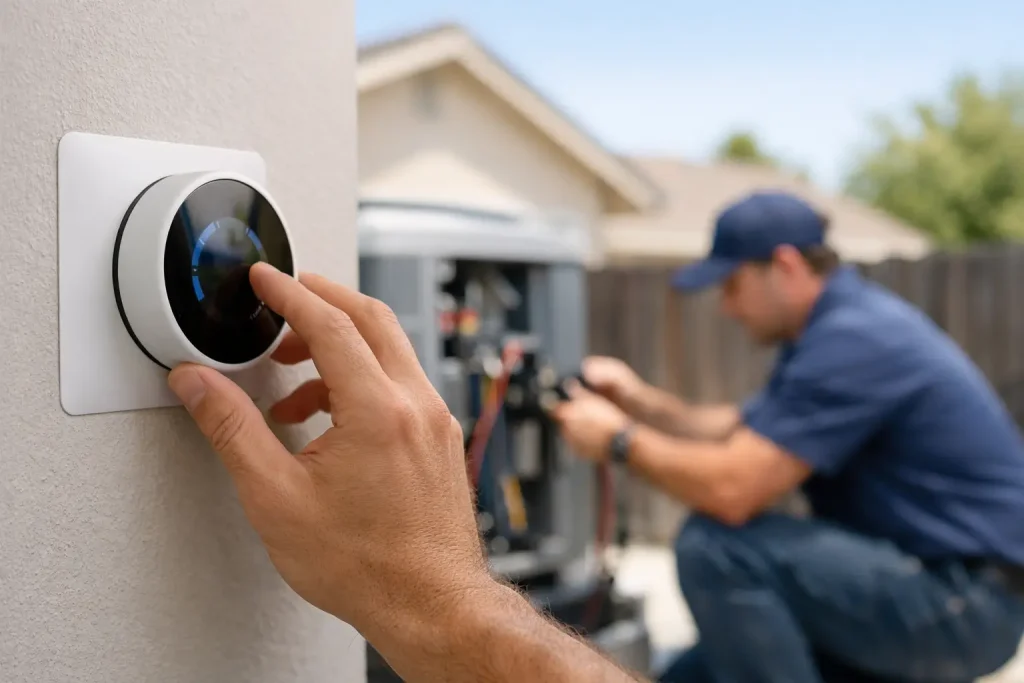
When a Modesto heat wave settles in, setting the thermostat a few degrees too low can leave your AC running hard for hours without making the house feel much better. The best thermostat settings for summer balance comfort, energy use, your household schedule, and what your system can realistically handle on the hottest afternoons.
For most homes, 78°F is a smart starting point when people are home and awake. That recommendation is not a rule that fits every family, though. A home with direct afternoon sun, poor insulation, upstairs bedrooms, pets, or older equipment may need a more tailored approach. The goal is reliable comfort without forcing your air conditioner to work harder than necessary.
Best Thermostat Settings for Summer at Home
A setting of 78°F while you are home is widely recommended because it reduces the temperature difference between indoors and outdoors. The smaller that difference, the less heat your AC needs to remove from the house. In Central Valley summers, where outdoor temperatures can climb well above 100°F, every degree lower can increase cooling demand.
If 78°F feels too warm at first, raise the setting gradually. Moving from 72°F to 78°F overnight can feel like a major change. Try increasing the temperature by one degree every few days, use ceiling fans in occupied rooms, and close blinds or curtains before direct sun hits the windows. Many households find that 75°F to 78°F is their practical comfort range once airflow and sun control improve.
What matters most is choosing a stable setting. Constantly lowering the thermostat when the house feels warm can make the system run longer, but it does not make the air come out colder. Your AC produces cool air at its designed operating range. Turning the thermostat down to 65°F only tells it to keep running until it reaches that target.
A practical summer schedule
For a typical household, 78°F while home and 82°F to 85°F while away is a reasonable starting schedule. At night, many people sleep comfortably at 72°F to 76°F, especially when bedrooms are upstairs or get warm late in the day.
The right nighttime setting depends on sleep preferences, bedding, humidity, and airflow. If you need the thermostat lower to sleep, set it lower only during sleeping hours rather than cooling the entire home to that temperature all day. A programmable or smart thermostat can make those changes automatically and keep the schedule consistent.
Avoid setting the temperature dramatically higher when you leave for only a short time. If you are gone for an hour or two during peak heat, the house may absorb enough heat that bringing it back down requires a long recovery period. For longer workdays, vacations, or vacant properties, a higher setting makes more sense.
Why Your House May Feel Warm at the Right Setting
A thermostat reading does not tell the whole comfort story. A room at 78°F can feel fine with good air movement and low humidity, while the same temperature can feel sticky or stuffy when airflow is weak. In Modesto, solar heat gain is often a major factor. West-facing rooms, large windows, and poorly sealed doors can make certain areas feel much hotter than the thermostat display suggests.
Ceiling fans can help people feel cooler by moving air across the skin. They do not lower room temperature, so turn them off in empty rooms to avoid wasting electricity. Keep interior doors open when possible, make sure supply vents are not blocked by furniture, and check that return vents have clear space around them.
A dirty filter can also limit airflow and make cooling uneven. Replace it on the schedule recommended for your filter type and household conditions, especially if you have pets, construction dust, or frequent wildfire smoke in the area. If the filter is clean but some rooms are consistently hot, the issue may involve ductwork, insulation, equipment sizing, refrigerant performance, or airflow balance. That is a good time to have an HVAC technician assess the system instead of living with hot spots all summer.
Settings That Can Raise Cooling Costs
The lowest setting is not always the fastest route to comfort. A thermostat set at 68°F on a 105°F day may keep the system running almost continuously, particularly in an older home or one with limited insulation. That can increase wear on equipment and still leave you disappointed if the system cannot overcome the heat entering the home.
Frequent manual changes can have a similar effect. Some homeowners lower the thermostat after lunch, then raise it when the house feels too cold, then lower it again when the afternoon sun warms the rooms. A planned schedule is easier on the system and easier on your utility bill.
Also, do not close too many supply vents in an attempt to force more air into other rooms. Central air systems are designed for a certain amount of airflow. Restricting too many vents can create pressure problems and reduce performance. For persistent temperature differences between rooms, professional evaluation is safer and more effective than trial-and-error adjustments.
How to Set a Thermostat During Extreme Heat
During a severe heat stretch, start cooling before the hottest part of the day. If your schedule allows, keep the home at your normal occupied setting through the afternoon rather than allowing indoor temperatures to rise sharply and asking the system to catch up at 5 p.m. Close shades early, limit use of heat-producing appliances during the afternoon, and avoid leaving exterior doors open.
If your AC runs continuously during extreme heat, check the basics first: confirm the thermostat is set to cool, make sure the filter is not clogged, and verify that vents are open and unobstructed. Then pay attention to the air coming from the vents and the indoor temperature trend. Continuous operation can happen on exceptionally hot days, but the system should still provide cool air and make gradual progress toward the set temperature.
Call for service if the air feels warm, airflow suddenly drops, ice appears on the equipment or refrigerant line, the system repeatedly turns on and off, or the indoor temperature continues rising. Those are not thermostat-setting problems. They can point to a mechanical issue that needs prompt attention, particularly when indoor heat becomes unsafe for children, older adults, pets, or anyone with a health concern.
Thermostat Advice for Businesses and Rental Properties
Small businesses and property managers have an added challenge: comfort affects customers, employees, tenants, and equipment. A common commercial starting point is 76°F to 78°F during occupied hours, adjusted for the number of people in the space, sun exposure, kitchen equipment, and heat-producing electronics. A crowded storefront may need a lower setting than a quiet office with shaded windows.
For vacant rental homes or unoccupied commercial spaces, do not shut cooling off completely during prolonged hot weather. A higher setting, often around 85°F, can help manage excessive indoor heat while limiting unnecessary runtime. The best choice depends on the property, what is stored inside, and whether anyone will be checking the space regularly.
Property managers should also treat repeated comfort complaints as useful information. If one suite, bedroom, or office is always warmer than the rest, changing the thermostat may only hide a larger airflow or equipment problem.
When a Thermostat Upgrade Makes Sense
A basic thermostat can work well, but a programmable model can reduce missed adjustments and help keep a predictable schedule. Smart thermostats can be useful for homeowners who travel, manage multiple properties, or want to adjust settings from their phone. They are most helpful when they support a consistent routine, not when they encourage constant temperature changes.
Before upgrading, make sure the thermostat is compatible with your HVAC system. Placement matters too. A thermostat near a sunny window, kitchen, supply vent, or exterior door may read the wrong temperature for the rest of the house. If your system seems to cycle oddly or temperatures do not match the thermostat display, professional troubleshooting can identify whether the issue is the thermostat, wiring, airflow, or the equipment itself.
YourK AC helps homeowners and businesses in the Modesto area keep cooling systems dependable through summer heat, from maintenance and repairs to system replacement when an aging unit can no longer keep up. A properly maintained system gives your thermostat settings a much better chance of delivering the comfort you expect.
Start with a realistic setting, keep your schedule steady, and pay attention to what your home is telling you. When comfort drops despite sensible thermostat settings, getting the right HVAC help early can prevent a difficult hot day from becoming a larger problem.